Example 1: Checking Weekend Weather
A user zooms into their city, clicks on the map, and checks current conditions and short‑term trends before planning a weekend outing.
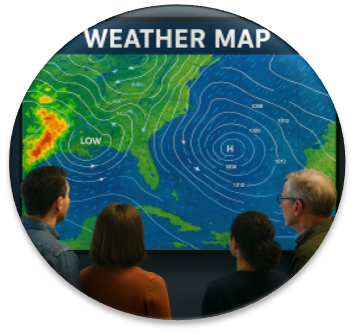
Explore live radar, wind particles, temperature layers, storm polygons, cyclone tracking, lightning strikes, and more — all in a fast, interactive, Windy‑style map experience.
The SmartWayze Weather Map is a browser‑based tool that lets you explore live weather conditions on an interactive map. Whether you're checking local forecasts, planning travel, tracking storms, or exploring global weather patterns, this tool gives you a clear, visual way to see what’s happening in real time.
Instead of reading long forecast tables, the Weather Map overlays temperature, conditions, and other data directly on a map interface. You can pan, zoom, and click on locations to view detailed information, making it ideal for students, travelers, weather enthusiasts, and everyday users.
The tool runs in your browser and uses live weather APIs to fetch current conditions, so you always see up‑to‑date information without installing any software.
The Weather Map combines a map engine with live weather data from external APIs. When you open the tool, it loads a base map and overlays weather information such as temperature and conditions for different locations.
You can:
The tool periodically refreshes data to keep conditions up to date. All map rendering happens in your browser, while weather data is fetched from trusted weather APIs.
A user zooms into their city, clicks on the map, and checks current conditions and short‑term trends before planning a weekend outing.
A traveler scans the map along their planned route to see where rain, heat, or storms might affect their journey.
A teacher uses the Weather Map to show students how weather varies across continents, zooming into different regions during a geography lesson.
The Weather Map follows the SmartWayze principle of SIBI — Simple Interface, Better Experience. Every feature is designed to be fast, intuitive, and visually polished. No personal data is collected or stored. For more details, visit our Privacy Statement.