Example 1: Simple Landing Page
Create a basic landing page with a hero section, call‑to‑action button, and feature grid. Adjust fonts, colors, and spacing until the layout feels right.
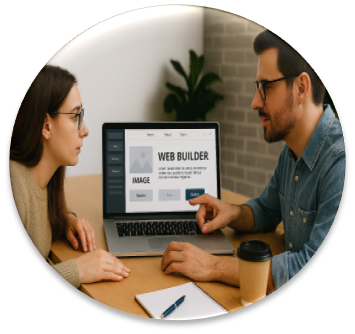
Build clean, professional‑looking web pages with live preview, intuitive controls, and zero setup — all processed locally in your browser for maximum speed and privacy.
The SmartWayze Web Builder is a lightweight, browser‑based tool that lets you design and preview simple web pages without needing a full development environment. Whether you're experimenting with layouts, drafting landing pages, testing content blocks, or learning HTML and CSS, this tool gives you a clean, focused space to build and refine web pages in real time.
Instead of juggling local files, editors, and browsers, the Web Builder brings everything together in one interface. You can write HTML, CSS, and optional JavaScript, then instantly see the result in a live preview pane. It’s ideal for students, designers, developers, and anyone who wants to prototype ideas quickly.
The tool runs entirely in your browser, so there’s nothing to install and no files are uploaded to a server. You stay in control of your code and can export or copy it whenever you’re ready.
The Web Builder provides separate panels for HTML, CSS, and optionally JavaScript. As you type, the tool combines your code into a single preview document and renders it in an embedded frame. This allows you to:
Because everything runs client‑side, your code is not stored or transmitted. You can manually save your work by copying it into your own editor or downloading it if you’ve enabled export options.
Create a basic landing page with a hero section, call‑to‑action button, and feature grid. Adjust fonts, colors, and spacing until the layout feels right.
Build and refine a card component, navigation bar, or pricing table, then copy the HTML and CSS into your main project.
Practice flexbox or CSS grid by recreating common layouts and seeing how small changes affect the design in real time.
SmartWayze follows the principle of SIBI — Simple Interface, Better Experience. Every tool is designed to be fast, intuitive, and privacy‑focused. Client‑side tools like the Web Builder keep your data entirely on your device, while server‑side tools process information only temporarily and purge it after completion. For more details, visit our Privacy Statement.